
Partitioned Survival Analysis
Build Partitioned Survival Models Directly from Survival Evidence
Represent Disease Progression Directly from Survival Curves
Use survival curves such as Progression-Free Survival (PFS) and Overall Survival (OS) to determine how patients are distributed among health states over time.
Add costs, utilities, and other outcomes to health states so clinical and economic outcomes follow changes in state membership throughout the model.
TreeAge Pro combines this survival-based approach with a visual model structure and integrated health economic analysis tools.
Prepare Survival Functions for Your Model
Before building a partitioned survival model, prepare the survival functions that will be used to represent disease progression and determine health-state membership over time.
Partitioned survival models use survival evidence to represent disease progression. TreeAge Pro lets you fit survival data to distributions or use fitted distributions from other statistical software, then use those survival functions directly in your model.
Fit Survival Data to Distributions
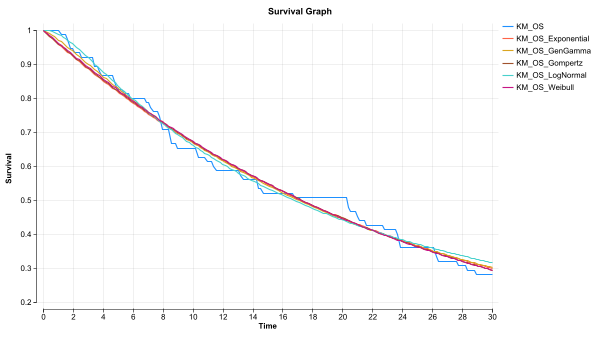
Fit survival data to parametric distributions to compare alternative representations and extrapolate survival beyond the observed evidence. TreeAge Pro lets you visualize fitted distributions alongside the source data to help evaluate how well they represent the observed survival pattern.
Use Fitted Distributions from Other Statistical Software
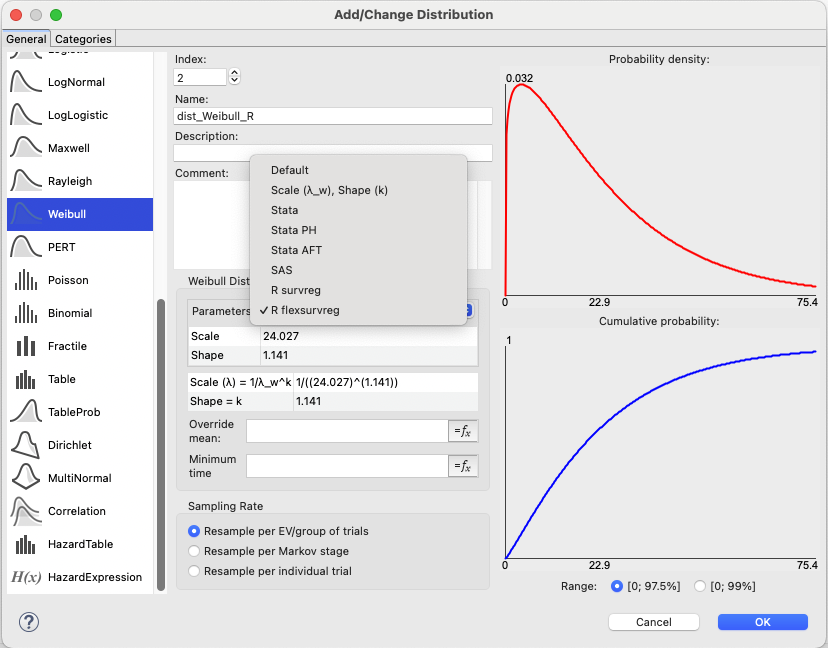
Use distributions fitted in statistical software such as R, SAS, or Stata directly in TreeAge Pro, allowing statistical analysis and health economic modeling to work together without requiring distributions to be refitted.
Use Survival Functions in the Model
Use observed or fitted survival functions to represent outcomes such as Progression-Free Survival and Overall Survival directly in the partitioned survival model. These functions determine how membership in health states changes over time.
Build Your Partitioned Survival Model Visually
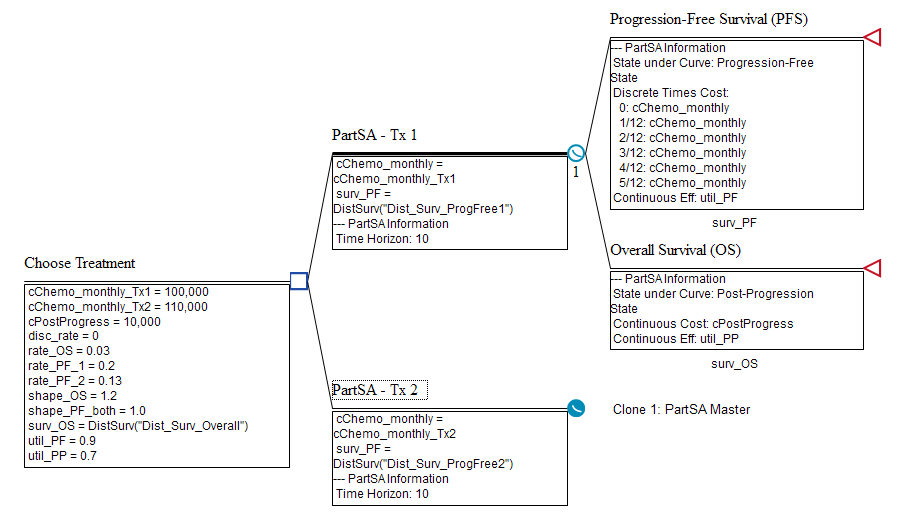
Build strategies and health states in TreeAge Pro’s visual modeling environment, then use survival or hazard functions to determine how patients are distributed among health states over time.
Add Survival or Hazard Functions
Add survival or hazard functions directly to the model to represent outcomes such as Progression-Free Survival and Overall Survival. These functions determine health-state membership over time.
Add Costs, Utilities, and Other Outcomes
Add costs, utilities, and other outcomes where they apply within the model structure. TreeAge Pro calculates outcomes based on health-state membership over time.
See How Survival Curves Determine Health-State Membership
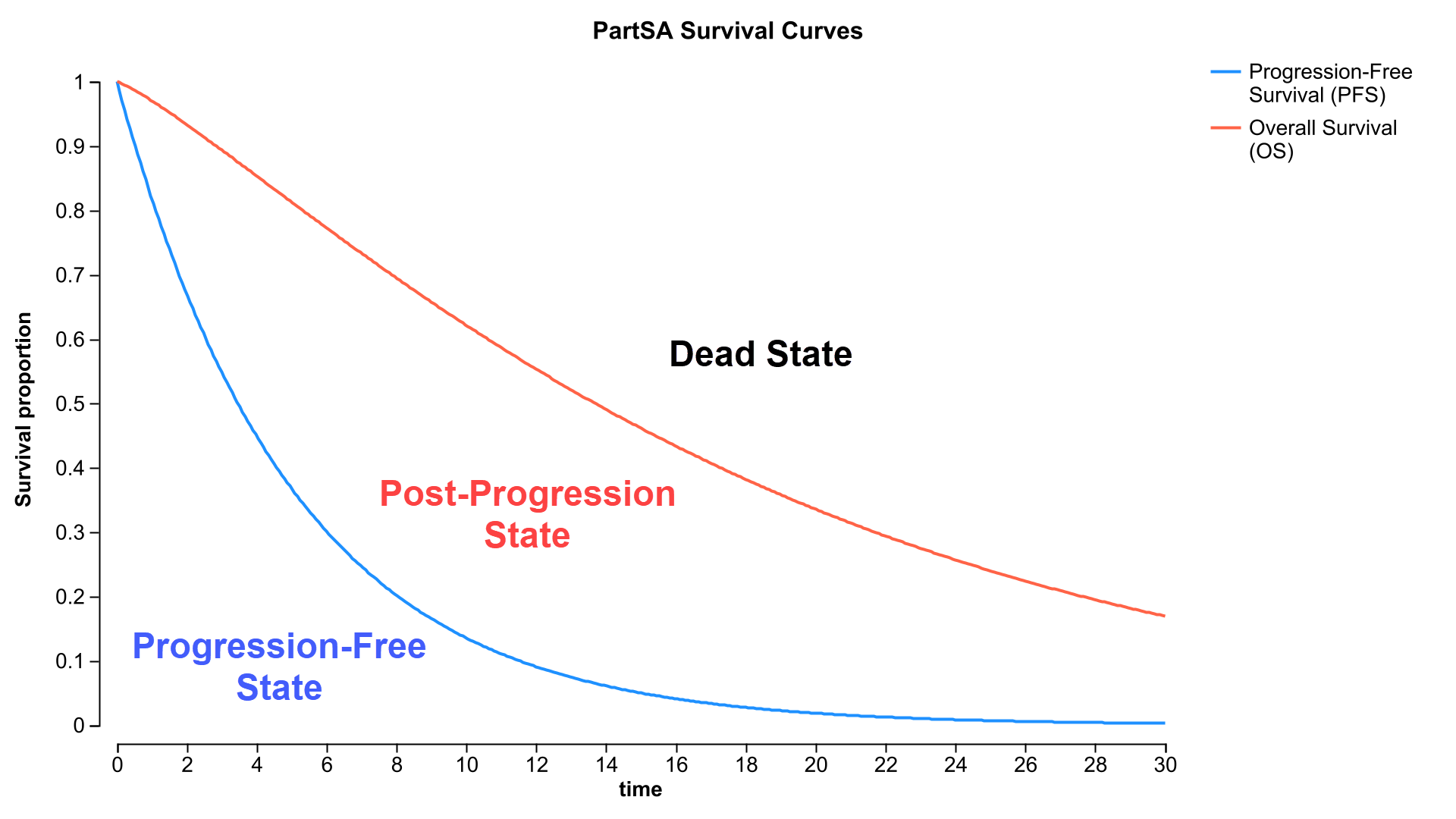
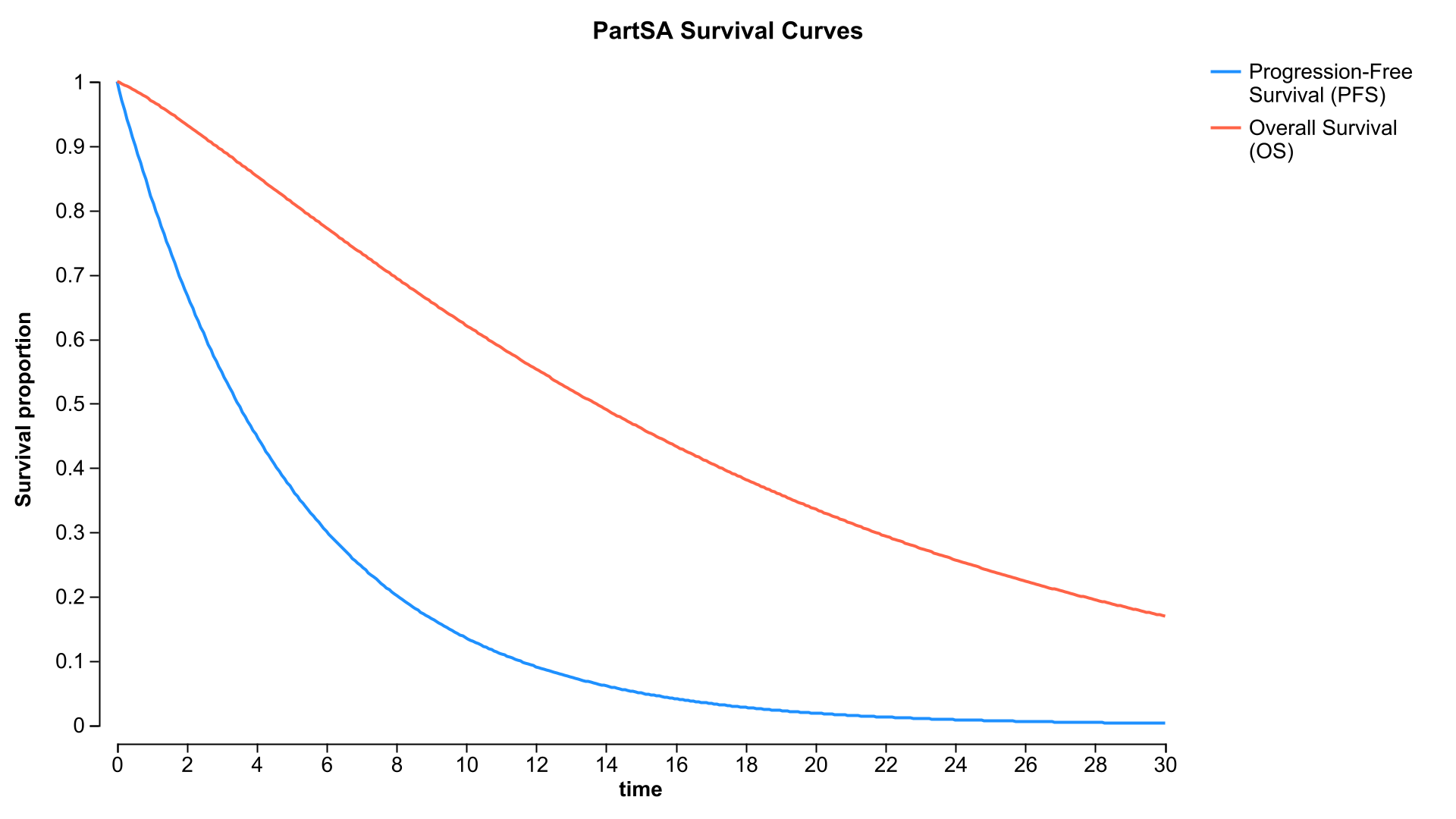
Visualize how survival curves partition patients among health states over time. In a typical three-state model, Progression-Free Survival (PFS) determines the proportion of patients who are progression-free, while Overall Survival (OS) determines the proportion who remain alive.
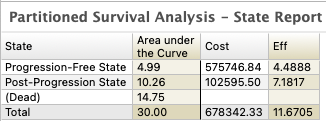
The difference between OS and PFS determines the proportion of patients in the post-progression state, while the proportion above OS represents patients who have died. Costs, utilities, and other outcomes are calculated based on health-state membership over time.
Analyze Your Partitioned Survival Model with Built-In Tools
Once your survival functions, health states, costs, utilities, and other inputs are defined, use TreeAge Pro’s built-in analysis tools to evaluate clinical and economic outcomes without building a separate analysis framework.
Cost-Effectiveness Analysis
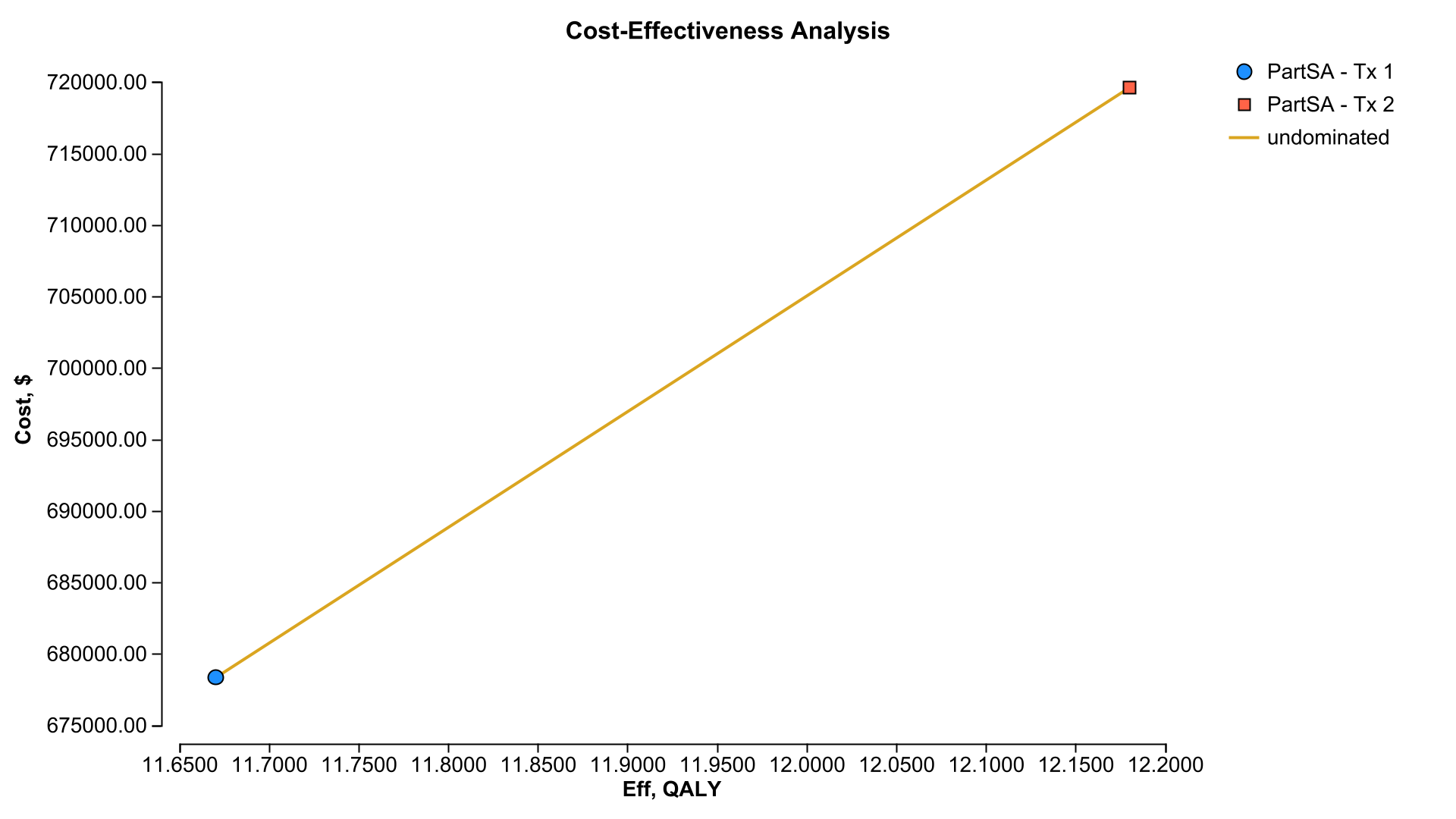
Compare strategies using costs, effectiveness, ICERs, net benefits, and other cost-effectiveness outcomes calculated from the model.
Explore Disease Progression and Outcomes
Review health-state membership, costs, utilities, and other outcomes over time to understand how survival functions and model inputs drive results.
Deterministic Sensitivity Analysis
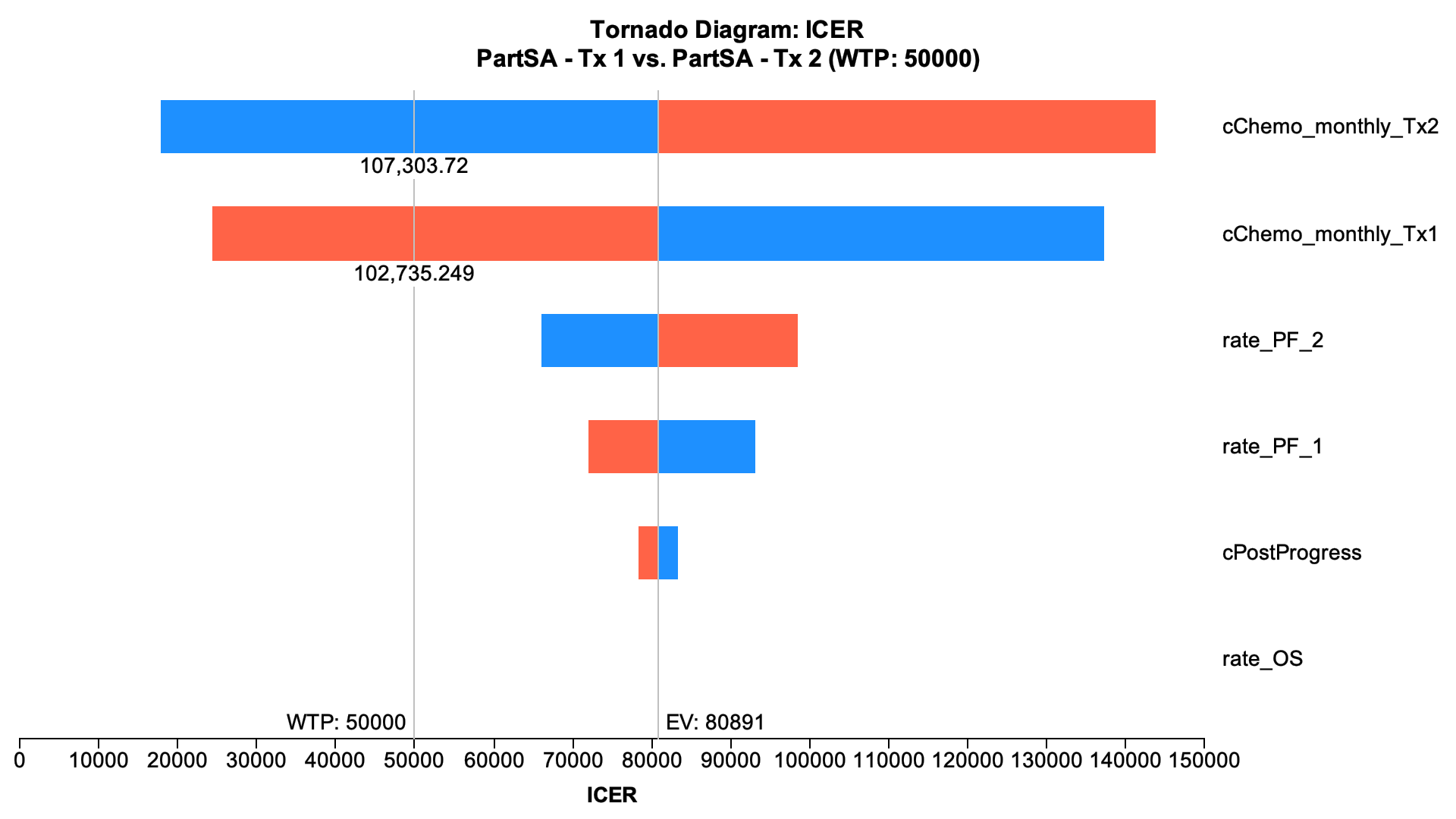
Vary model inputs and assumptions across plausible ranges and use tornado diagrams to identify which parameters have the greatest impact on results.
Probabilistic Sensitivity Analysis
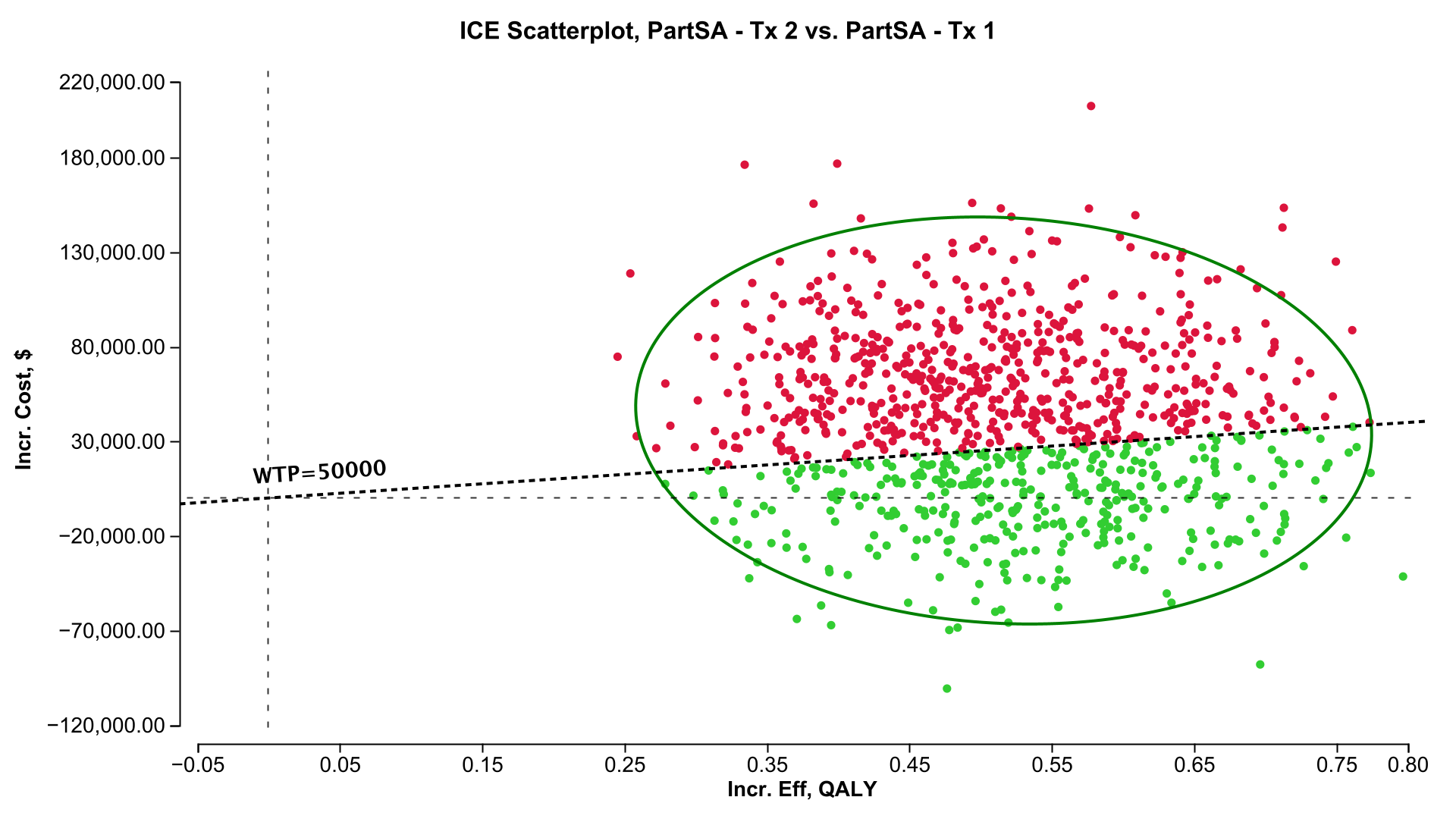
Evaluate uncertainty across multiple parameters simultaneously by sampling parameter values from probability distributions.
Explore and Validate Model Behavior
Visualize survival and health-state membership over time to understand how the model represents disease progression.
Compare alternative survival functions and assumptions to understand their effect on extrapolated outcomes.
Review model structure, inputs, calculations, and outputs so you and others can understand how the survival evidence drives results.
Communicate and Share Your Model
Use the visual model and reports to explain model structure, assumptions, and results.
Share models through TreeAge Pro Web so others can explore inputs, analyses, and results.