
Transparency & Validation
See how your model works, validate your assumptions and build confidence in your results.
TreeAge Pro makes model structure, assumptions, calculations, and results visible so you can understand model behavior, validate your work, and make it easier for others to review.
Because model structure, assumptions, calculations, and results remain visible, colleagues, clients, and reviewers can more readily understand and scrutinize the model—even when they did not build it themselves.

Visual pathways drive calculations
- Calculations automatically follow the pathways, logic, and inputs defined in your model.
- Validate patient pathways and disease progression over time.
- Examine costs, utilities, and other calculations at each step in the model.
- Add model outcomes and event counts to further examine and validate model behavior.
Review all internal calculations
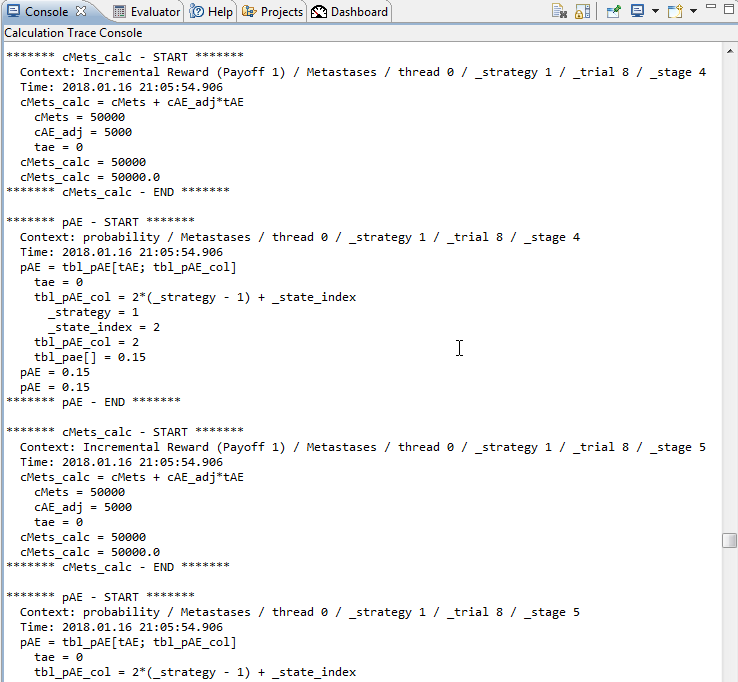
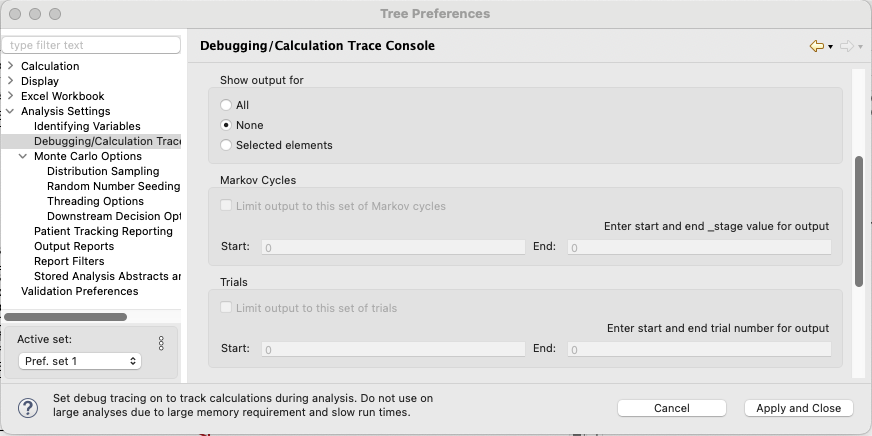
- Use debugging tools to inspect calculation details throughout the model.
- Focus output on individual patients, cycles, calculations, and formulas to investigate model behavior in detail.
Visualize and validate model disease progression
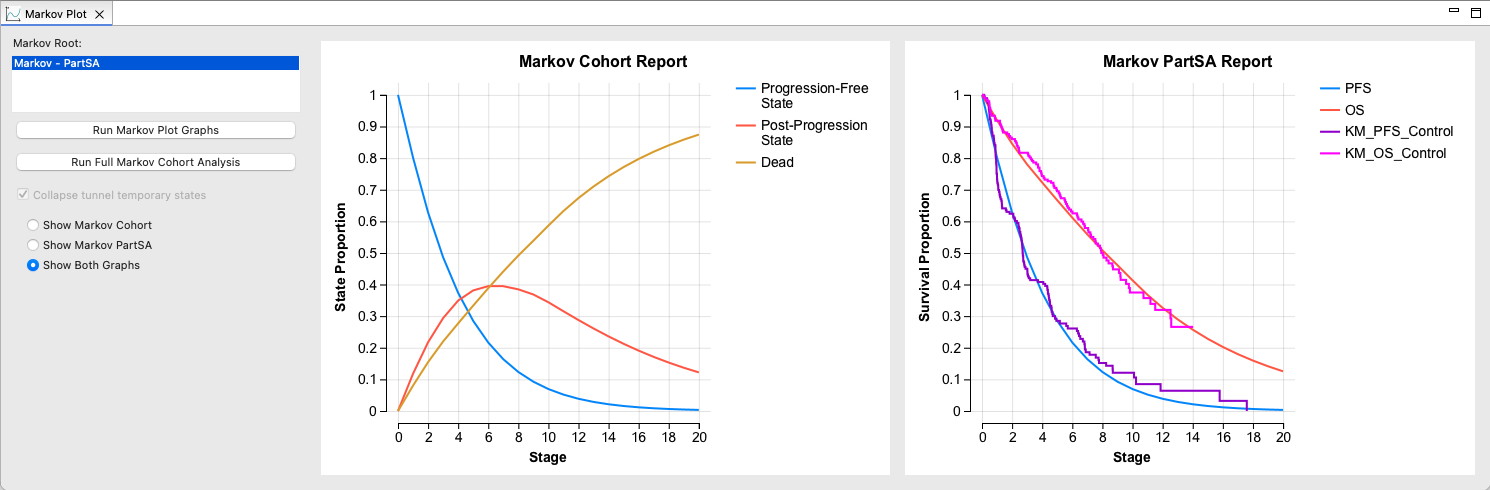
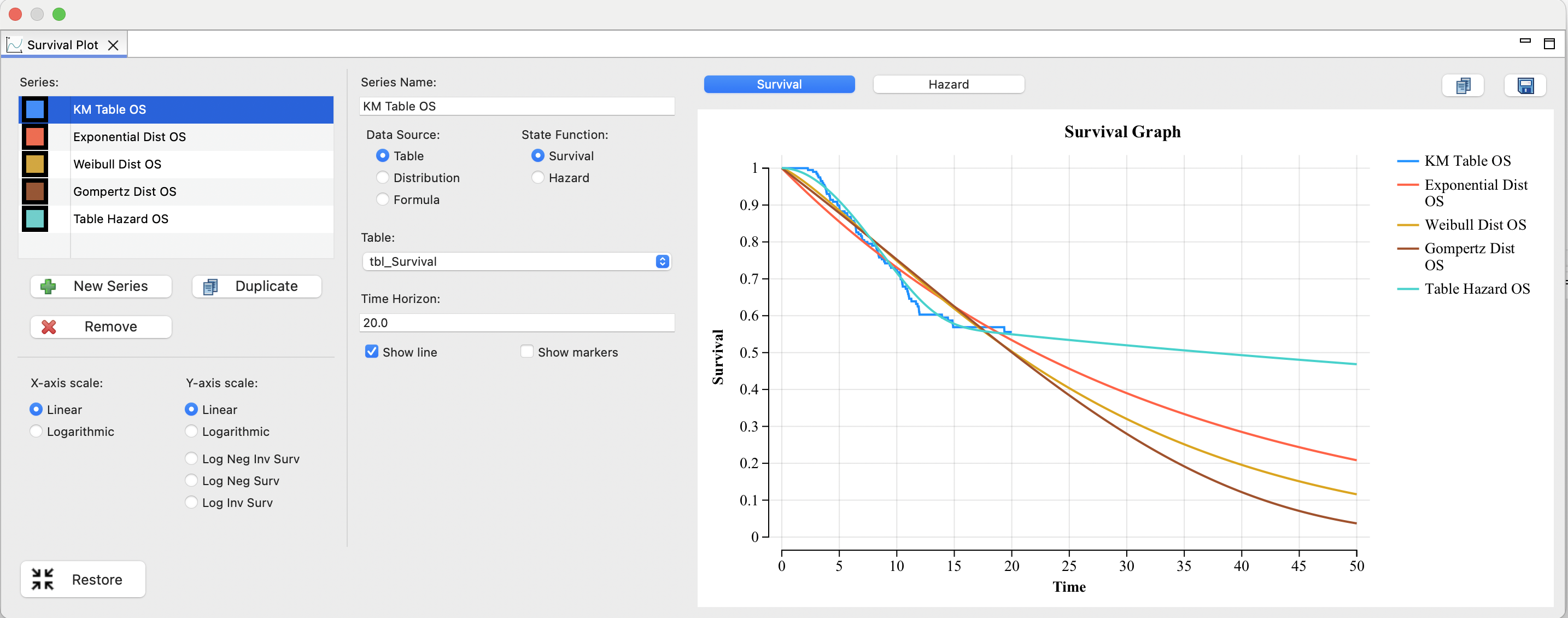
- Use Markov and Survival Plots to examine disease progression and model behavior over time.
- Change assumptions and inputs to explore their impact on model results.
Review important model elements at a glance
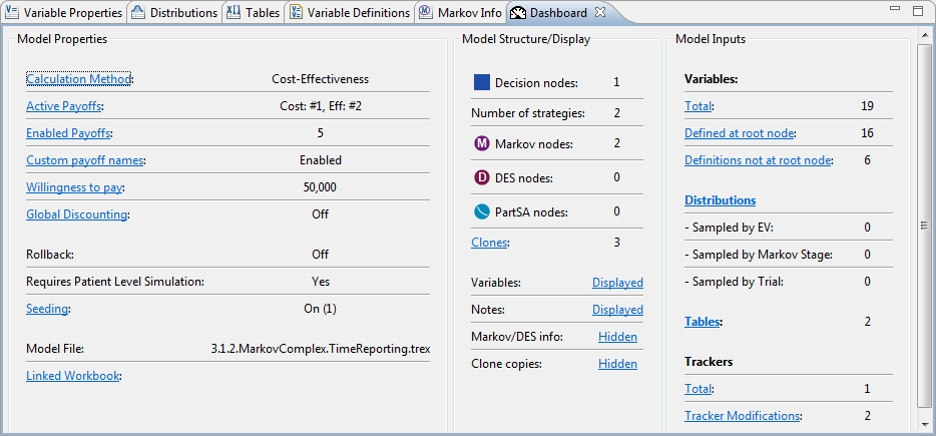
- Use the Model Dashboard to review critical elements of model configuration, structure, assumptions, and inputs in one place.
Validate external models
Rebuild models developed in other platforms within TreeAge Pro to independently examine their structure, assumptions, calculations, and results.
Export the resulting TreeAge Pro model to Excel for additional review and comparison.
Review TreeAge Pro’s Markov calculations in Excel
Export a Markov model to a working Excel model with internal cohort analysis details visible in Excel formulas for independent review.
Model Submissions and HTA
TreeAge Pro’s visual structure and transparent calculations help make health economic models easier to review and communicate throughout the HTA process.
- Use TreeAge Pro throughout the health economic modeling lifecycle, from early modeling through HTA economic model submissions.
- Build and analyze the model in TreeAge Pro, then export it to Excel when a familiar format is useful for review or communication.
- TreeAge Pro models are accepted by many global HTA agencies, including:
- NICE (UK)
- PBAC (Australia)
- PHARMAC (New Zealand)
- ICER (USA)
- CHUIKYO (Japan)
- CENETEC (Mexico)
- Download a comprehensive Reviewer Checklist.
- We fully support HTA authorities globally with TreeAge Pro models. If you need help with reviewing a TreeAge Pro model, please contact Support directly at support@treeage.com where our Global Team can assist you.