
Patient Simulation Models
Model Individual Patients, Characteristics, and Histories
Use Patient Simulation when patient characteristics, prior events, and history influence future risks, pathways, and outcomes.
TreeAge Pro lets you simulate individual patients as they move through the model over time, while retaining the characteristics and history that can affect what happens next.
- Represent patient heterogeneity using characteristics such as age, sex, biomarkers, risk factors, and other patient attributes.
- Track patient history and events so earlier experiences can influence future risks, pathways, and outcomes.
- Analyze individual and population outcomes by examining patient-level experiences and aggregating results across the simulated population.
Extend Your Markov Model to Patient Simulation
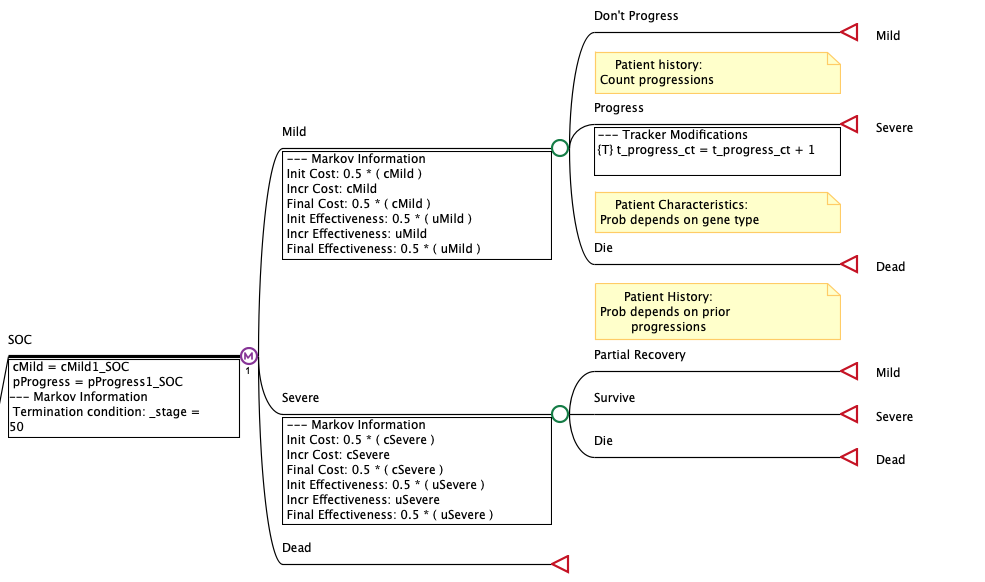
Build the underlying Markov model visually using health states and event pathways, then add patient characteristics and history to extend the model for Patient Simulation.
Add Patient Characteristics and History
Add characteristics that vary among patients and retain information about prior events as patients move through the model.
Let Patient-Level Information Influence What Happens Next
Use patient characteristics and history to influence event risks, pathways, costs, utilities, and other outcomes for individual patients.
Model Variation Among Individual Patients
Patient Simulation allows individual patients to experience different risks, events, and outcomes based on their characteristics and what has happened to them previously.
Represent Patient Heterogeneity
Patient characteristics such as age, sex, biomarkers, risk factors, and other attributes can vary across the simulated population and influence what happens to each patient.
Account for Patient History
Prior events and accumulated history can change future risks and outcomes, allowing the model to reflect dependencies that may be difficult to represent using cohort averages.
Keep Complex Patient Histories Manageable
In cohort models, accounting for prior events and conditions can require additional health states to preserve patient history. Patient Simulation retains this information for individual patients, reducing the need to expand the model structure with additional states for every relevant patient history.
Explore Differences Among Patient Subgroups
Use patient characteristics and simulation results to examine how outcomes vary among clinically relevant subgroups.
Analyze Your Patient Simulation Model with Built-In Tools
Run Patient Simulation to examine individual patient experiences and results across the simulated population, then use TreeAge Pro’s built-in analysis tools to evaluate clinical and economic outcomes and uncertainty.
Patient Simulation (Microsimulation)
Simulate individual patients as they move through the model, retaining their characteristics and history as events occur over time.
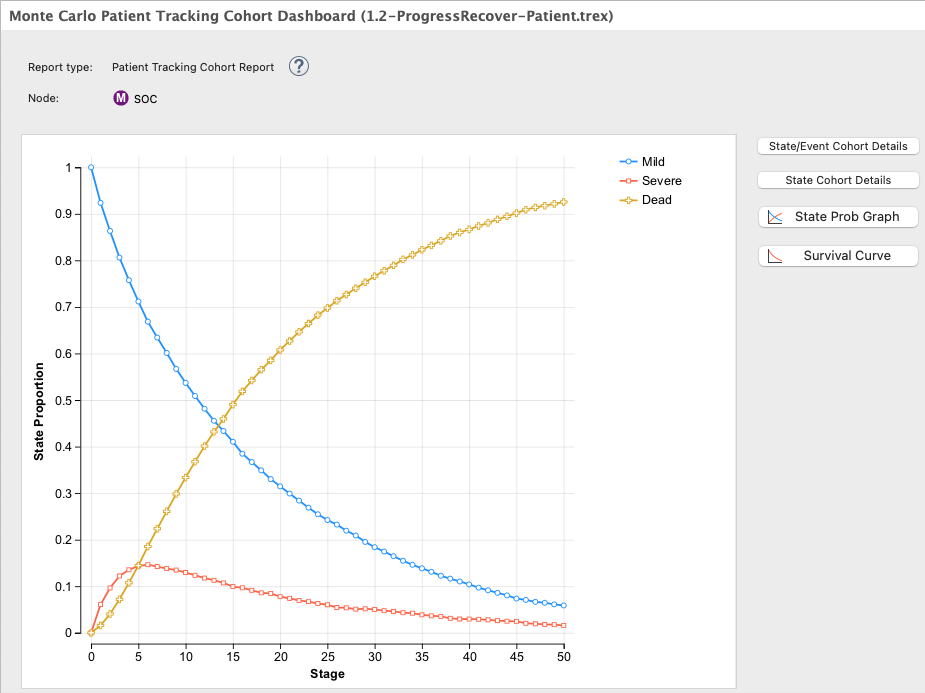
Examine individual patient pathways and outcomes, then aggregate results across the simulated population to evaluate overall costs, effectiveness, and other outcomes.
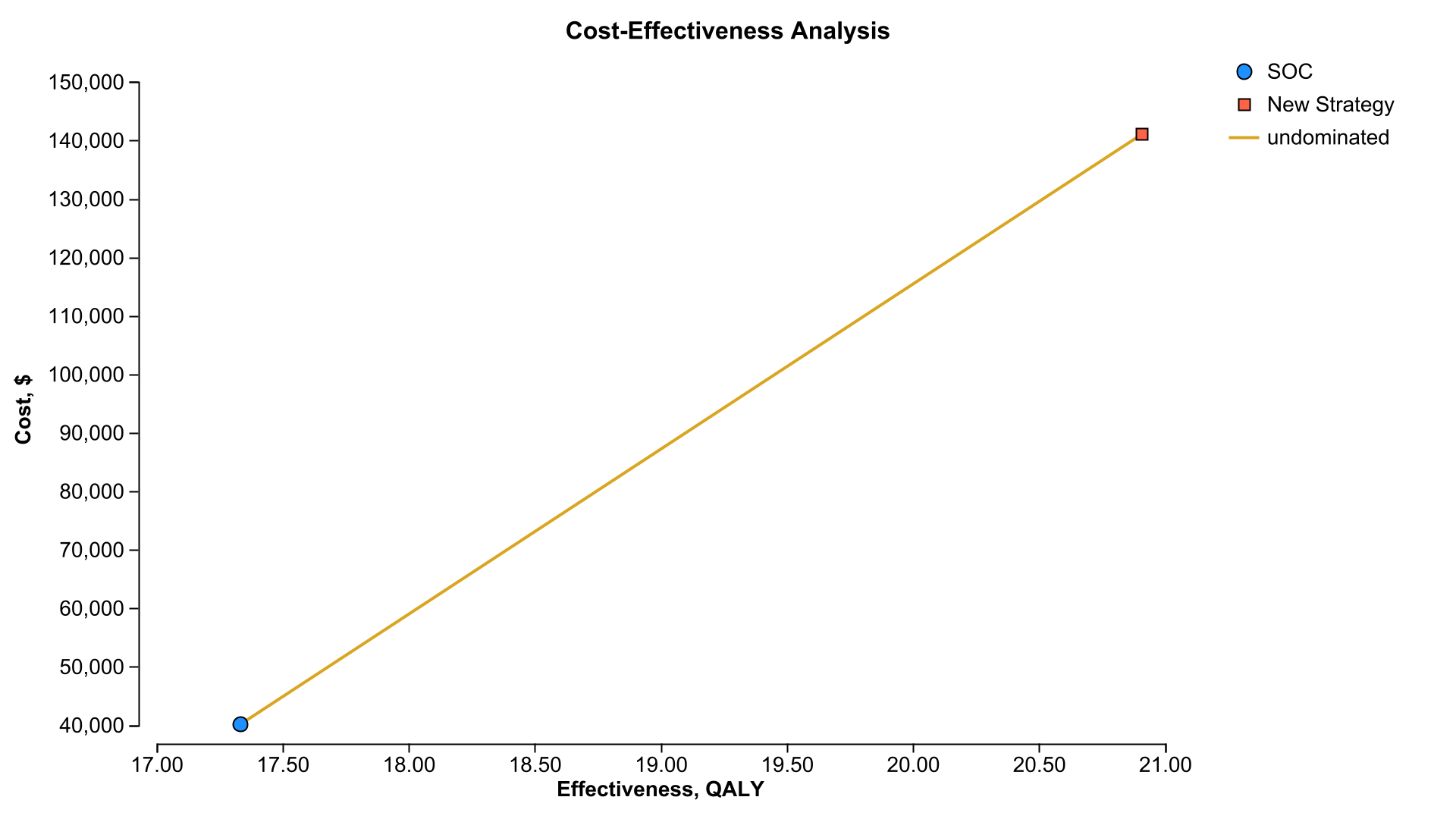
Cost-Effectiveness Analysis
Compare strategies using costs, effectiveness, ICERs, net benefits, and other cost-effectiveness outcomes calculated from the simulated population.
Explore Patient and Population Outcomes
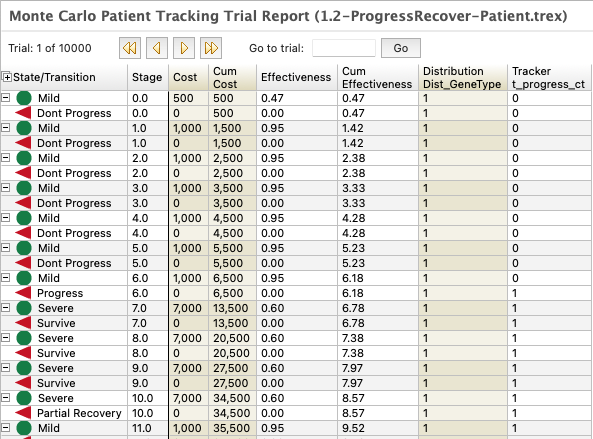
Review individual patient histories and population-level results to understand variation in disease progression, events, costs, utilities, and other outcomes.
Deterministic Sensitivity Analysis
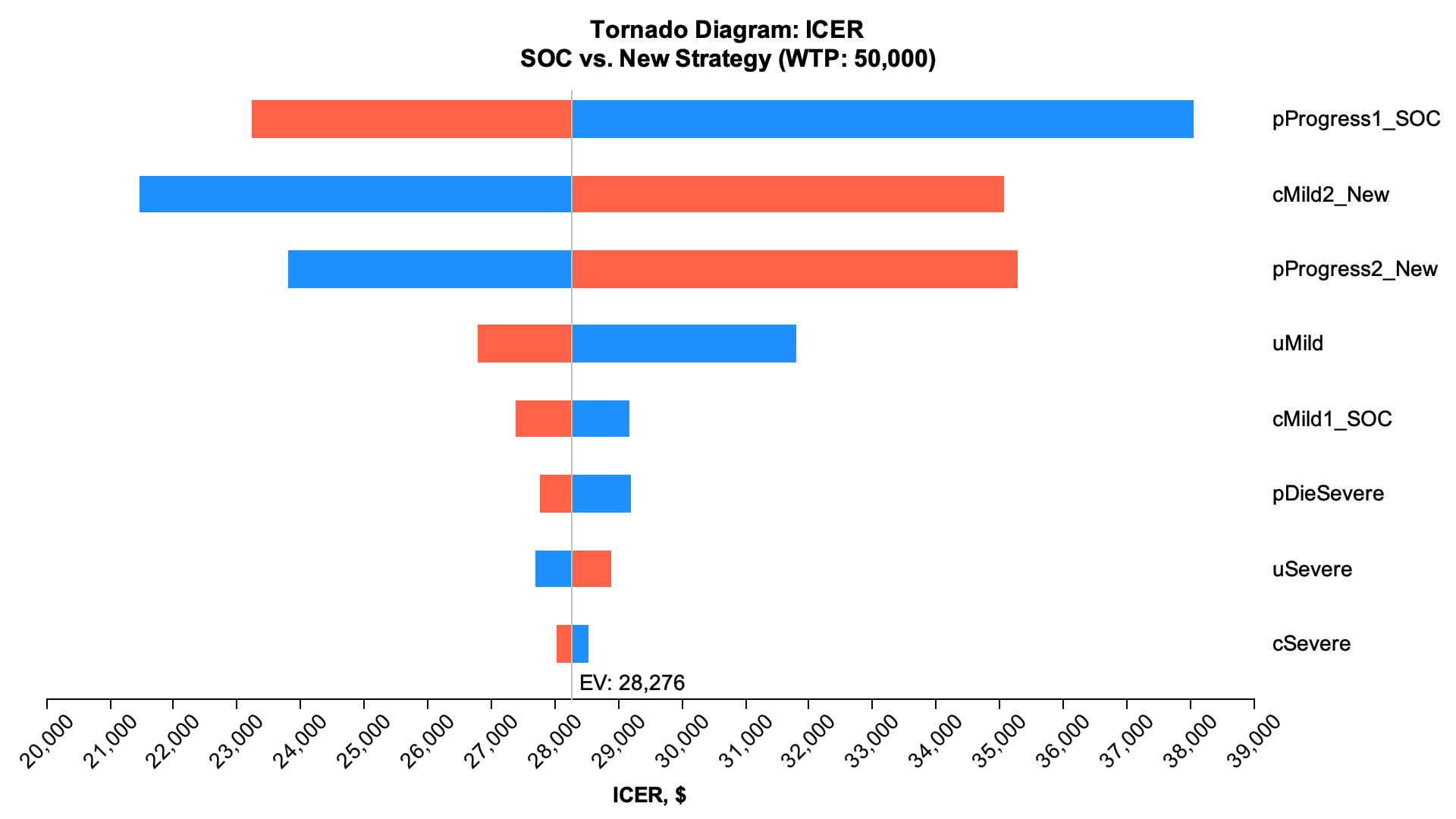
Vary model inputs and assumptions across plausible ranges and use tornado diagrams to identify which parameters have the greatest impact on results.
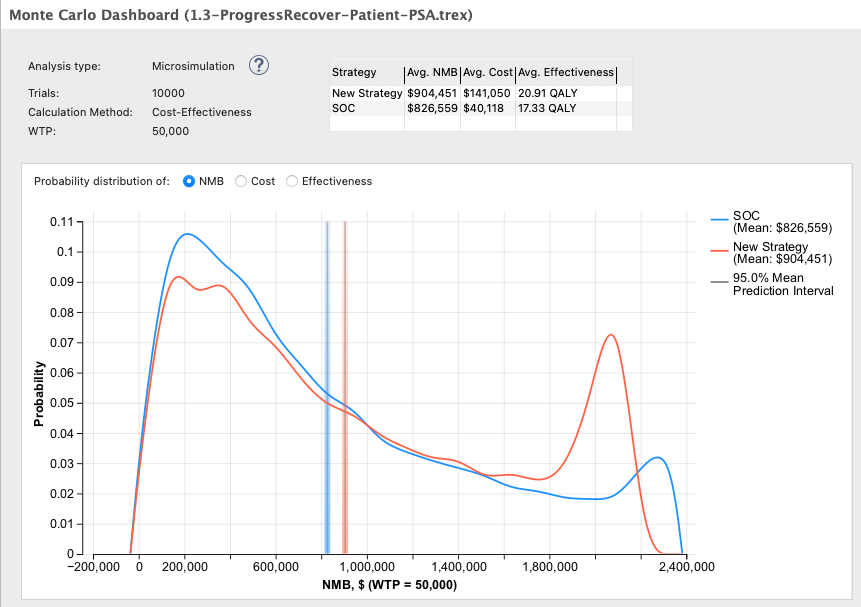
Probabilistic Sensitivity Analysis
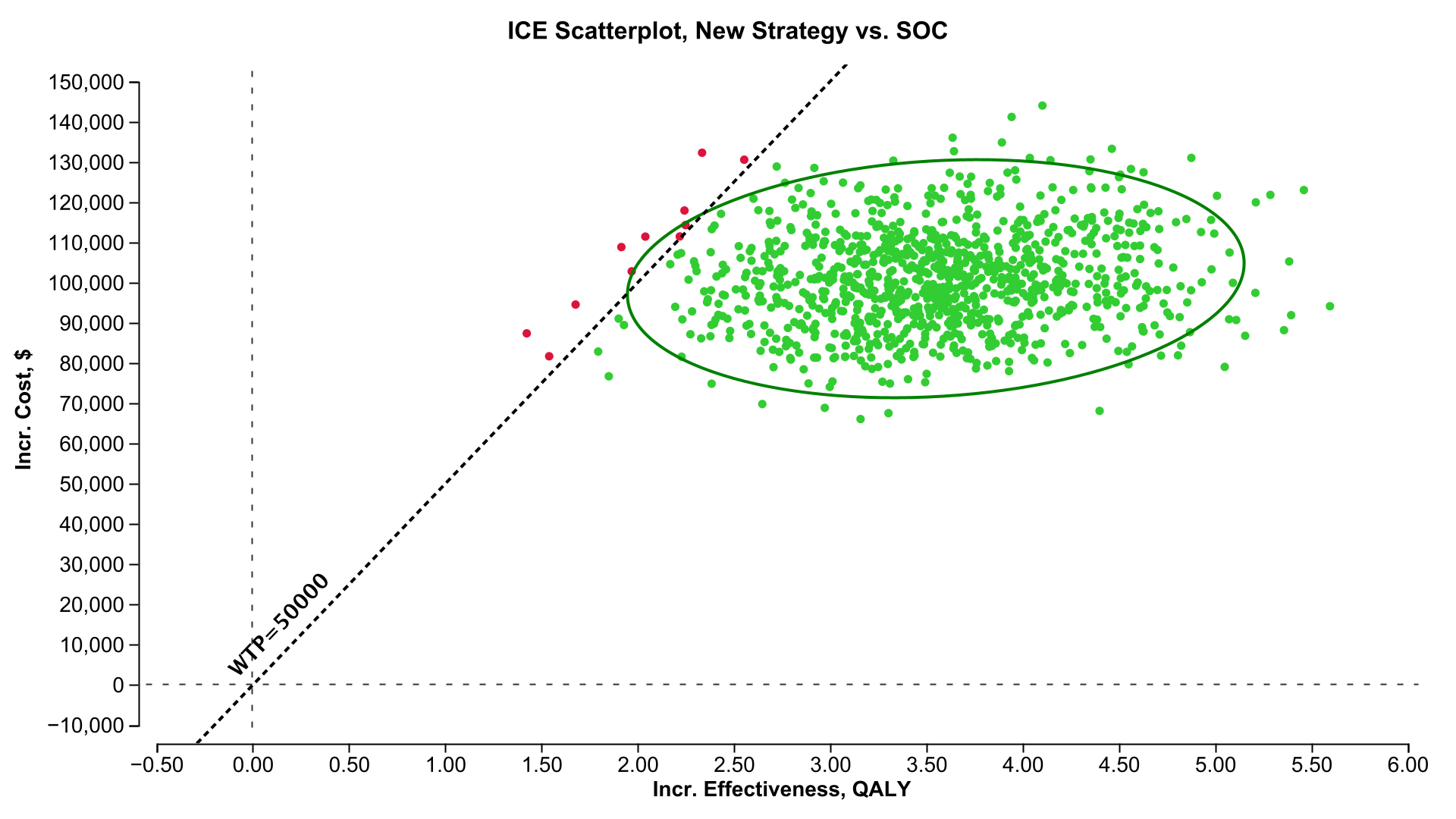
Evaluate uncertainty across multiple parameters simultaneously by sampling parameter values from probability distributions.
Understand and Validate Your Simulation
Review model structure, inputs, calculations, and outputs to understand how patient characteristics, histories, and assumptions produce results.
TreeAge Pro’s visual model and detailed reports also make the model and its results easier for colleagues, clients, and reviewers to understand and scrutinize.
Debug and Inspect Model Calculations
Examine calculations as the model runs to understand how variables, expressions, patient characteristics, and history affect model behavior and results.
Communicate and Share Your Model
Use the visual model and reports to explain model structure, assumptions, and results.
Share models through TreeAge Pro Web so others can explore inputs, analyses, and results.